
Seminar Room NRB1031
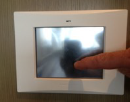 |
If the touch panel is off, tap anywhere to begin | The Main Menu should illuminate. If the heading reads "Advanced Menu" press the Main Menu button on the upper left | |
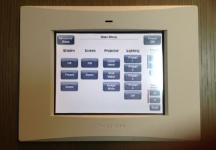 |
Under Projector: Press HDMI or VGA depending on your computer's output | Most computers will use HDMI. Pressing this button will lower the screen and turn on the projector. | Lower the filters in the rear of the room by pressing the "Shades" preset button on the left of the touchscreen panel. |
Microphone |
|||
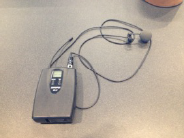 |
The clip-on microphone is located on the first shelf in the podium. | Clip the foam covered microphone to your lapel. The transmitter can go in a pocket or clipped to a belt. | |
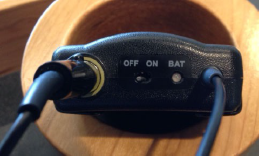 |
On / Off controls are located at the top | The volume for the microphone is labelled 'Speech Volume" on the touchscreen. It can also be muted. | The transmitter is powered by a single 9v battery (spare in podium).The battery cover is on the bottom of the transmitter. |